
Please note: We recommend you read through this article first to understand the different options for recording a Holdover or Month to Month Agreement in Nomos One.
If you have decided on Option Two for recording your Holdover or Month to Month Agreement, this article will walk you through the relevant steps. If you are adopting Option One, please read this article instead.
How to Create a New Agreement to Reflect your Holdover or Month to Month Setup
To create a new Agreement to reflect this setup:
- Determine the anticipated Holdover or Month to Month period(s) your Organisation is reasonably certain to exercise. For reporting under IFRS 16, there has to be a known Expiry date, so this is an essential detail.
For example: Your existing Agreement is set to expire on 31 July 2023. Your Organisation has just found out it will move into Holdover state but it is unclear when the new Agreement will be signed, so the period of Holdover is unclear.
Your team needs to collectively make a decision as to when you reasonably expect a new lease/renewal to begin, and the Holdover period to end. If the Holdover period does last longer or finish earlier, you can extend or reduce the lease term whenever you need to reflect changes to this assumption at any time.
- Navigate to the Agreement that is moving into Holdover or a Month to Month setup.
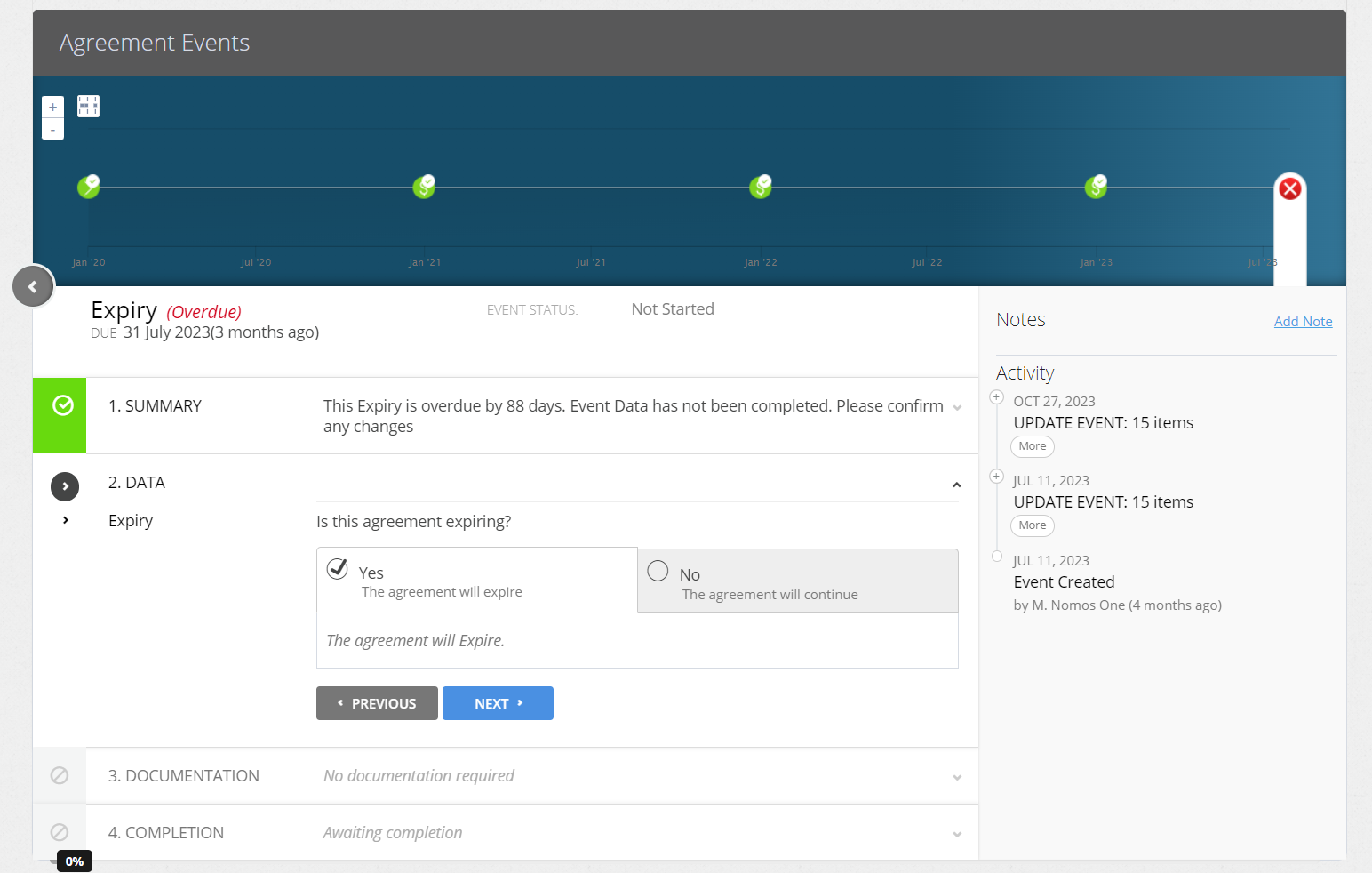
- Complete the Expiry Event or Renewal Event (as Step 2 set the Agreement to 'Expire') to expire the current Agreement.
- Create a new version of the Agreement reflecting the Holdover or Month to Month conditions.
- The Commencement Date of the new Agreement should be the start date of the Holdover or Month to Month period, and the term length should be the anticipated Holdover or Month to Month period.
- Record any Rent payable together with any other pertinent information you want to capture in your reporting for this Agreement.
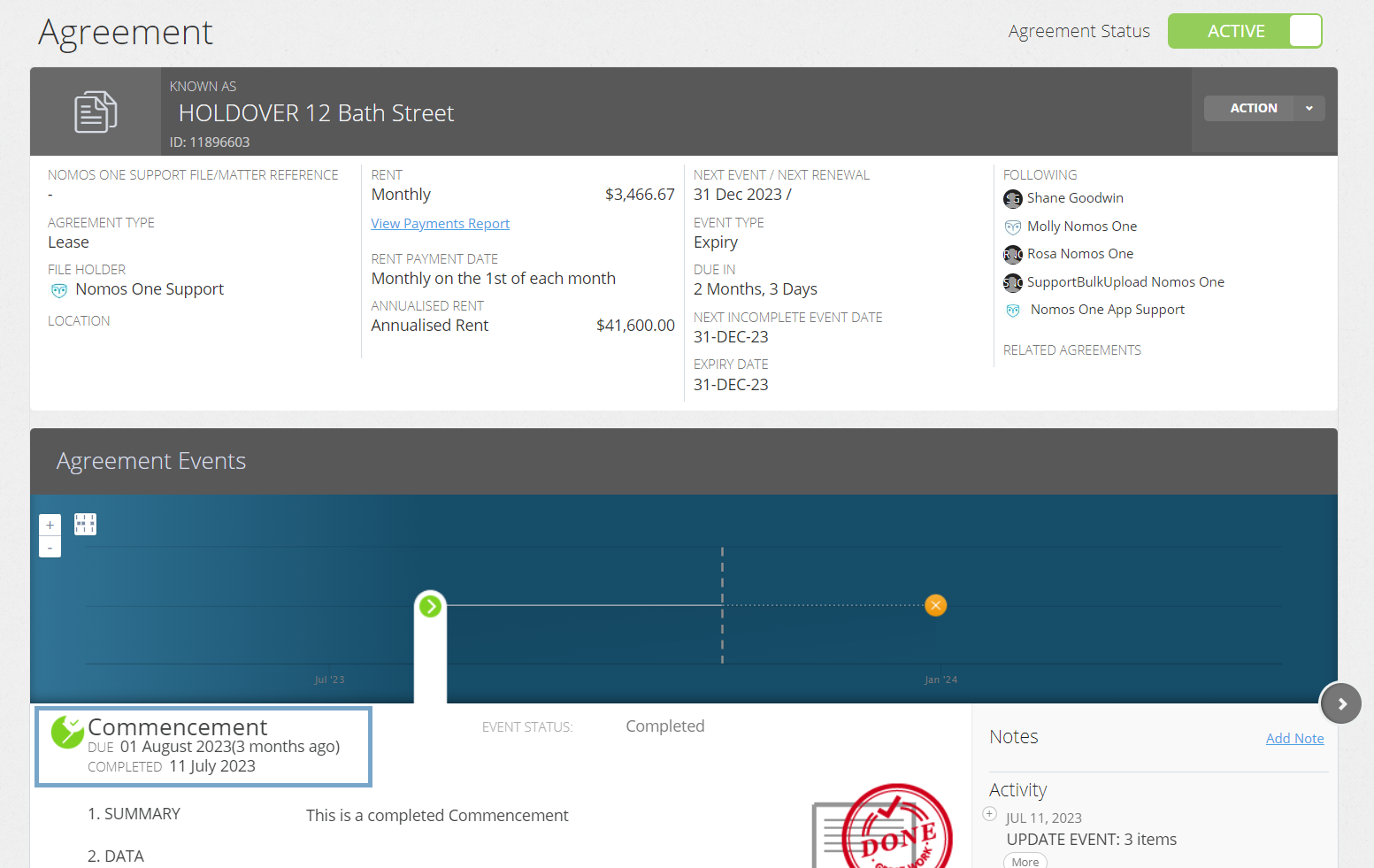
- Complete the Commencement Event on the Timeline then Activate the Agreement.
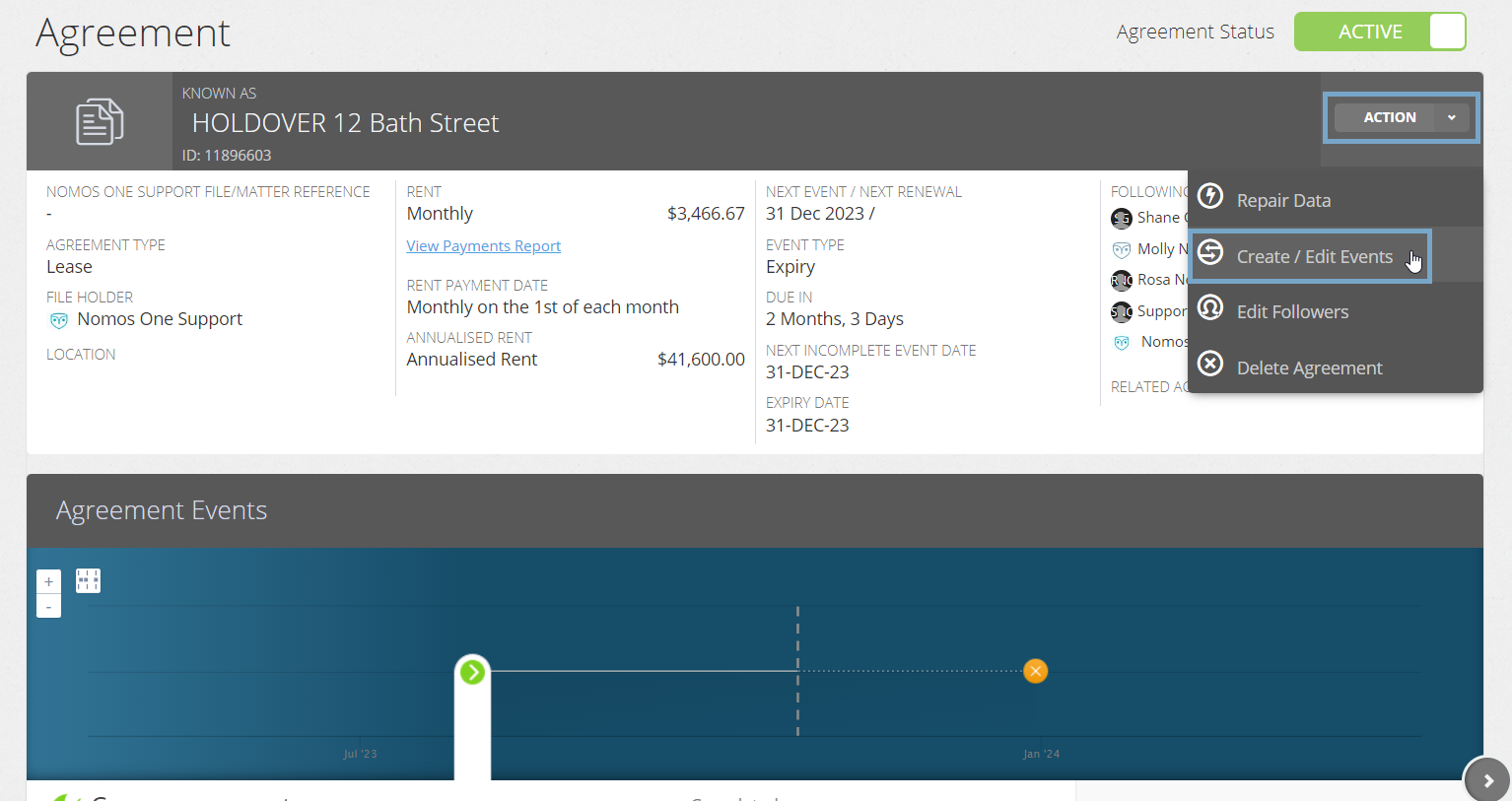
- Click “Action”, then “Repair Data”.
- On the Settings page, in the IFRS 16 Initial Questionnaire, toggle “Does the Agreement meet the definition of a lease as defined in IFRS 16” to YES.
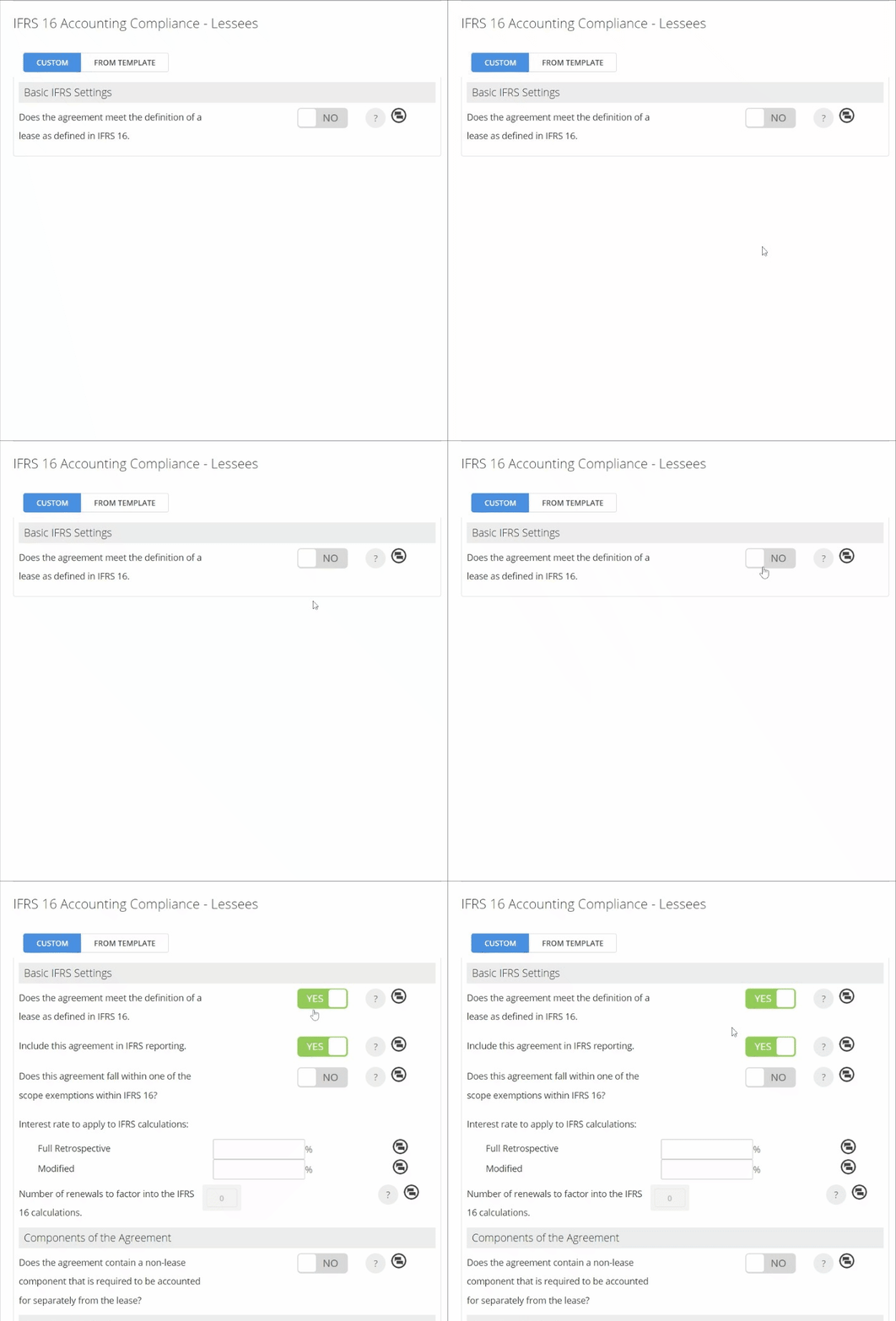
- Toggle “Does this Agreement fall within one of the scope exemptions within IFRS 16” to YES, and select one of the Exemption Reasons.
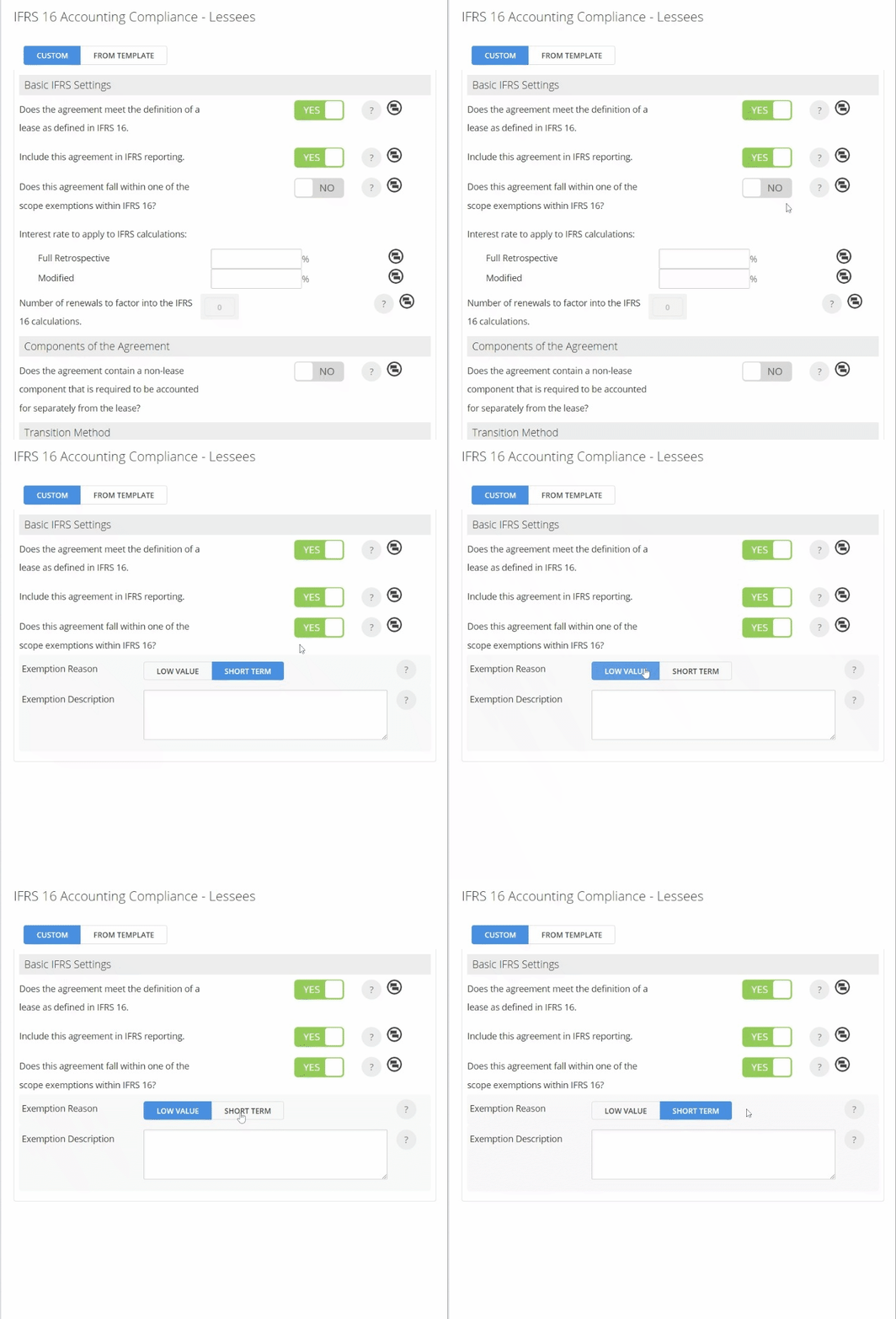
Please note: Making an Agreement exempt will stop the calculation of the Right of Use Asset and Lease Liability. However, you will still see associated exempt entries for that agreement in your reports.
- Scroll down to the bottom of the Agreement and click “Done” to save the changes made.
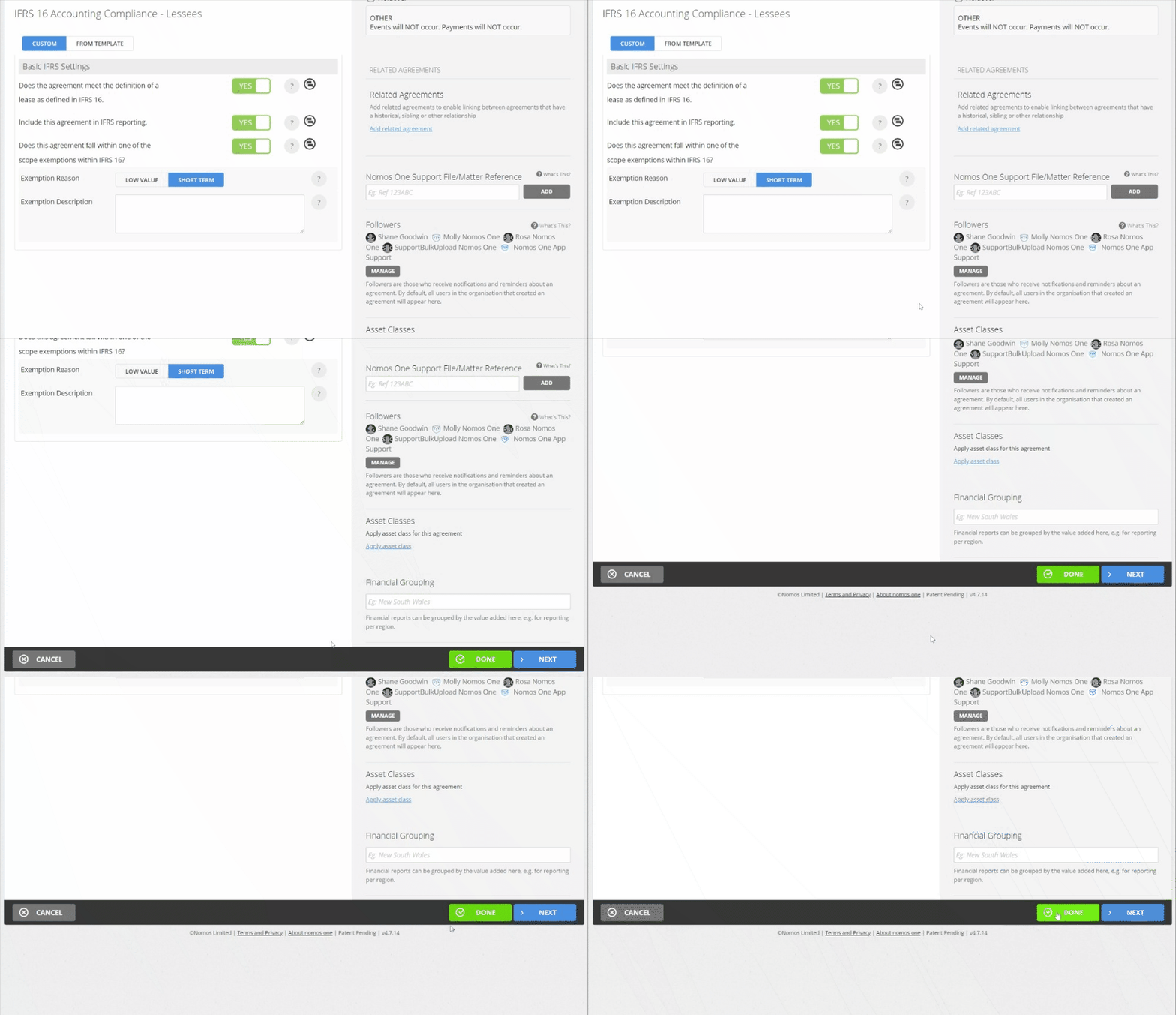
Now that you have successfully set up your Holdover or Month to Month agreement, you will see the original Agreement expire on the date you specified, and the holdover Agreement will generate exempt entries in your report from the commencement of the holdover period.
What Next?
When your Agreement term(s) are finalised and you're moving out of the Holdover or Month to Month arrangement, you can update the Expiry Date of your Agreement using one of two methods:
- If the anticipated Holdover or Month to Month period has expired in accordance with the dates originally entered, you can simply Complete the Expiry Event on this Agreement; or
- If the lease term ended up being different to the estimated expiry, you can update the Expiry date by extending or decreasing the lease term to match the up to date assumed or confirmed Expiry date for this arrangement.
Please note: If at any time the anticipated Expiry date changes from what you initially assumed or the new Agreement's term(s) are finalised, you can use the second method above to either extend or decrease the lease term expiry to match your new assumptions.
If you're out of the Holdover or Month to Month period and have negotiated a new Agreement, you can create your new Agreement to reflect the newly agreed terms. If you follow this method you should end up with three Agreements concerning your property or asset under lease. If you'd like to link these in some way, you can use the Related Agreements function to create a handy hyperlink between them for ease of navigation.
Nomos One does not provide or purport to provide any accounting, financial, tax, legal or any professional advice, nor does Nomos One purport to offer a financial product or service. Nomos One is not responsible or liable for any claim, loss, damage, costs or expenses resulting from your use of or reliance on these resource materials. It is your responsibility to obtain accounting, financial, legal and taxation advice to ensure your use of the Nomos One system meets your individual requirements.