
In Nomos One, users can update their agreements in one of two places: clicking “Action” then “Repair Data”, or “Action” then “Create / Edit Events”. In this article, we'll explain when you should use each action to ensure mistakes are avoided and your reports are accurate.
Using “Repair Data” to edit your Agreement
Clicking “Action”, then “Repair Data” allows users to view and edit the information recorded through the Agreement creation process. The system treats this information as applying from the commencement date of the Agreement, regardless of when the information is recorded. This means that if you directly change this information from what was originally set up, that original information gets wiped, and the system treats that new information as if it has always been there. This is helpful if you need to correct information that was recorded incorrectly, but is not always appropriate for recording updates, especially to information that impacts IFRS 16 balances.
To alter your Commencement-level Agreement data:
- Navigate to the Agreement Overview of the Agreement you would like to update.
- Click “Action”, then select “Repair Data” from the drop-down. This will take you to the Settings page of the Agreement creation process.
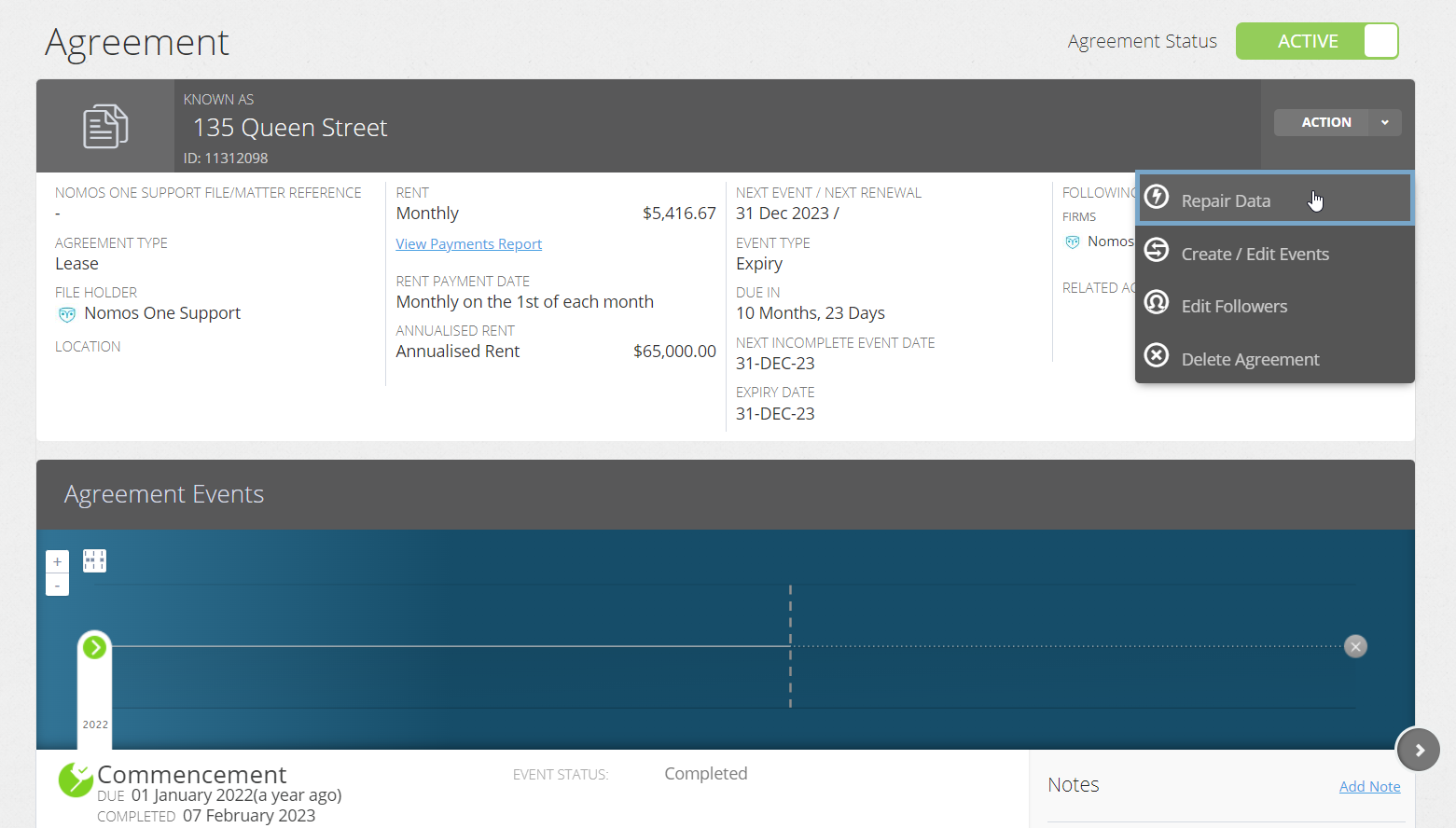
- Navigate to the page where updates are required, and edit your Agreement data.
- Click “Done” at the top of the page when you have finished.

If you have made a change using the above process and now find that your IFRS 16 balances are incorrect, please change the information back to what it was before, and reach out to our Support team to discuss how to make the change using our best practice methods.
The difference between “Repair Data” and Variation Events
As explained above, clicking “Action”, then “Repair Data” allows users to view and edit the information recorded through the Agreement creation process. If you change any of the information here, the system treats that new information as if it has always been there, rather than recording that the information was changed only from a certain date forward.
Variations let you change your Agreement data after your Agreement has commenced. Variations will pin-point the change to the date of the Variation Event. Historic data will remain the same, but going forward ,you'll see new numbers and data pulling into your reports. Variations should be added to your Agreement using “Action” then “Create / Edit Events”. It is very important to note that not all information fields can be updated using a Variation event. To read more about Variations, click here.
Using “Create / Edit Events” to edit your Agreement
Clicking “Action”, then “Create / Edit Events” allows users to add unscheduled events such as Variations, Assignments and Surrenders to an Agreement. Generally, users should not alter existing events, particularly Renewal and Rent Review events as these are used to calculate IFRS 16 balances. If you do need to edit these events, please refer to our Knowledge Base category for recording changes like extension or decreases to the lease term, or reach out to our Support Team.
To edit events:
- Navigate to the Agreement Overview of the Agreement you would like to update.
- Click “Action”, then select “Create / Edit Events” from the drop-down. This will take you to the Events page of the Agreement creation process.

- Here you can add in a Variation, Assignment, or Surrender Event.
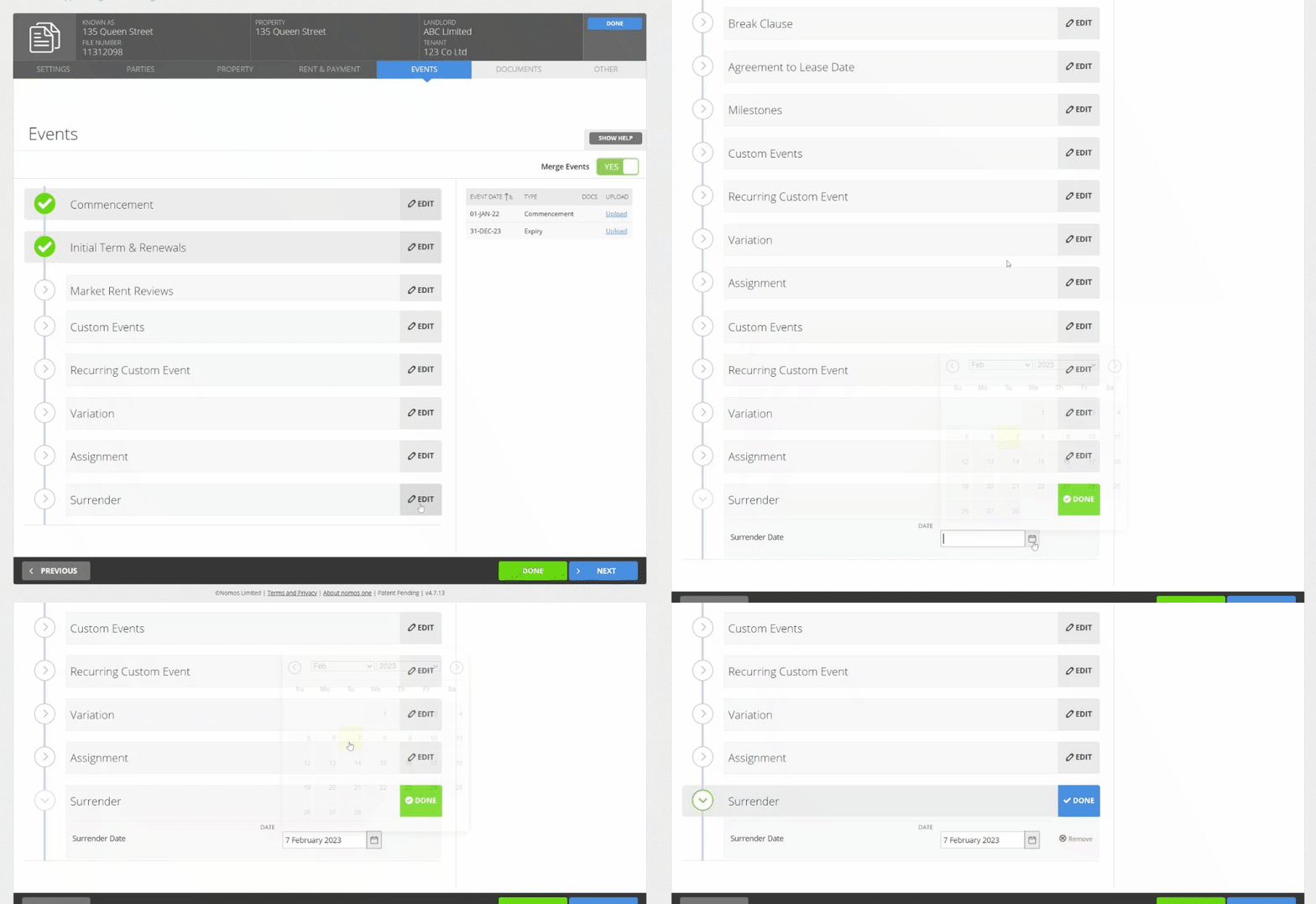
Scheduled Events (like Renewals or Rent Reviews) generally should not be added here, as their existence will be treated as known from the commencement of the Agreement, rather than the system time-stamping the change.
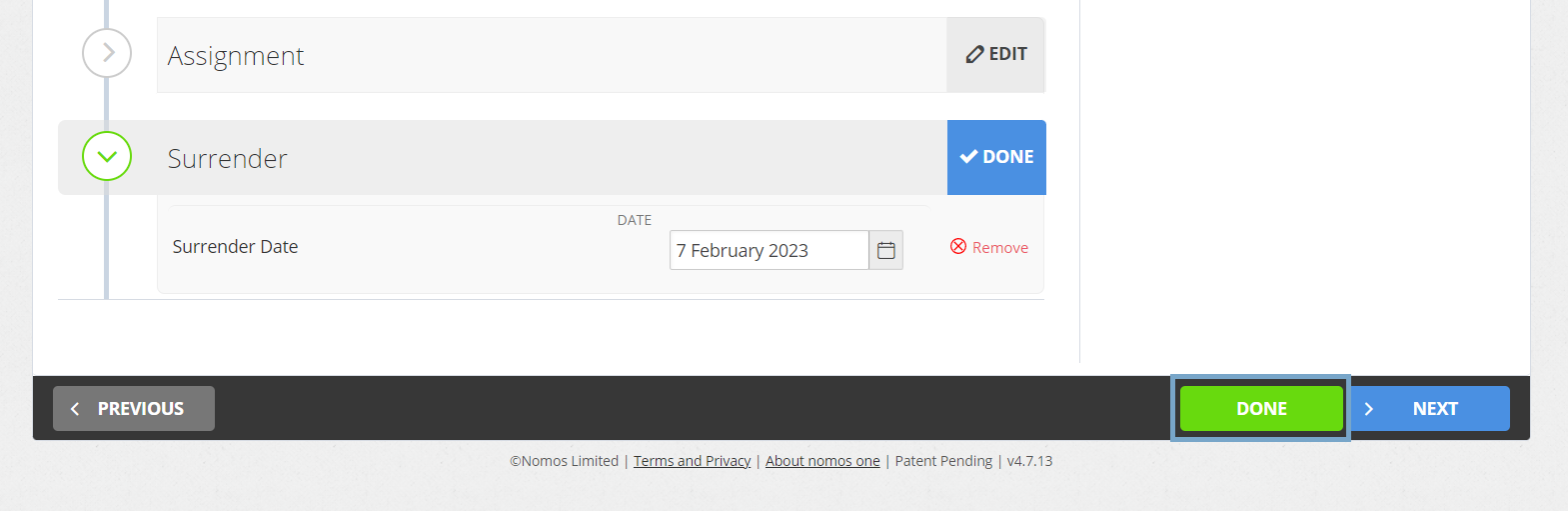
- Click “Done” to save your change and return to the Agreement Timeline.
You'll now see a new icon on the Timeline for the Variation, Surrender or Assignment Event you've added, available for you to complete.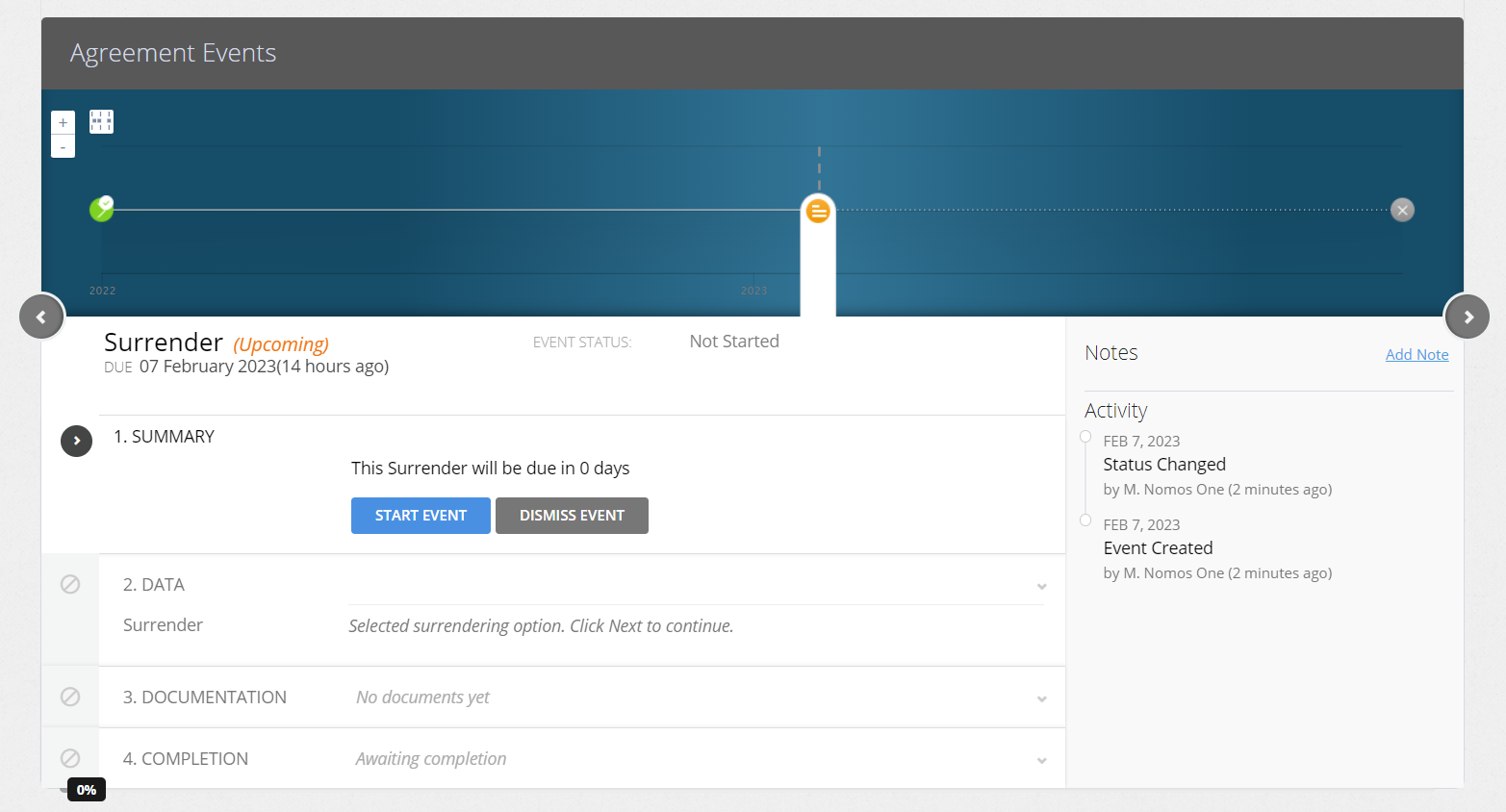
Nomos One does not provide or purport to provide any accounting, financial, tax, legal or any professional advice, nor does Nomos One purport to offer a financial product or service. Nomos One is not responsible or liable for any claim, loss, damage, costs or expenses resulting from your use of or reliance on these resource materials. It is your responsibility to obtain accounting, financial, legal and taxation advice to ensure your use of the Nomos One system meets your individual requirements.