
If you need to change your IFRS 16 assumptions from what they were when recorded in the Initial IFRS 16 Questionnaire at the Commencement of an Agreement, you can use the IFRS Settings Changes Questionnaire.
This will update the assumptions effective from the date you add the change for. Any changes in the scope of a lease, the consideration given, the length of the term, or interest rate need to be captured, and will result in a reassessment under the standard.
Where to find the IFRS Settings Changes Questionnaire
The IFRS Settings Change Questionnaire is integrated into the Event completion process. Once an event has been completed on the Agreement Timeline, the Questionnaire will appear as step number 5.
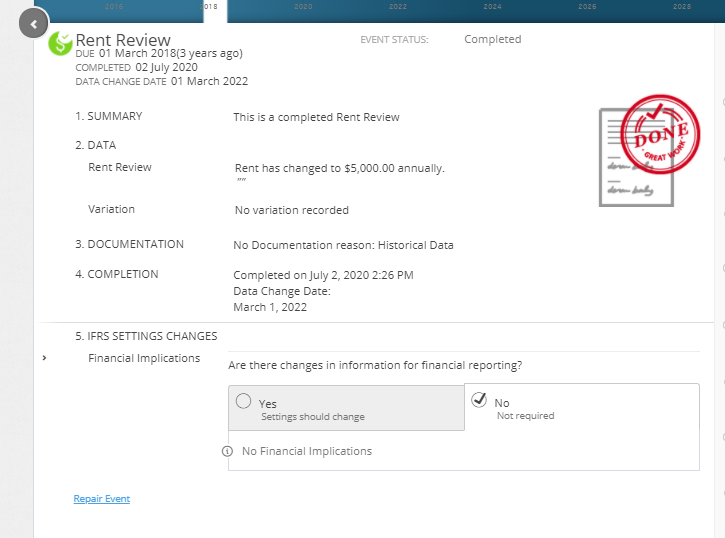
If you need to update your assumptions on the same date as a scheduled Event already on the timeline, you can answer the questionnaire on that Event. If you need to update your assumptions on a date where there is not already an event, you can add in a Variation Event and complete this to reveal the questionnaire.
As the IFRS 16 Settings Change Questionnaire is always tied to an Event, you won't be able to add or edit the IFRS 16 Settings Change Questionnaire on an Event that is within a locked period. You'll need to ask a user with the Administrator permission in your Organisation to edit the Lock Date. Check out this article for more information.
Breaking down the IFRS Settings Changes Questionnaire
The IFRS 16 Settings Change Questionnaire is a series of Yes/No questions and text fields. There is a is a help button beside each question where you can find in-application guidance. There is also a comment box where you can capture any notes for the answers you've recorded.
The IFRS 16 Settings Change Questionnaire is undergoing review by our Development Team. As we've built a new engine and implemented new architecture throughout the application, some of the current questions are no longer needed, and others are no longer supported.
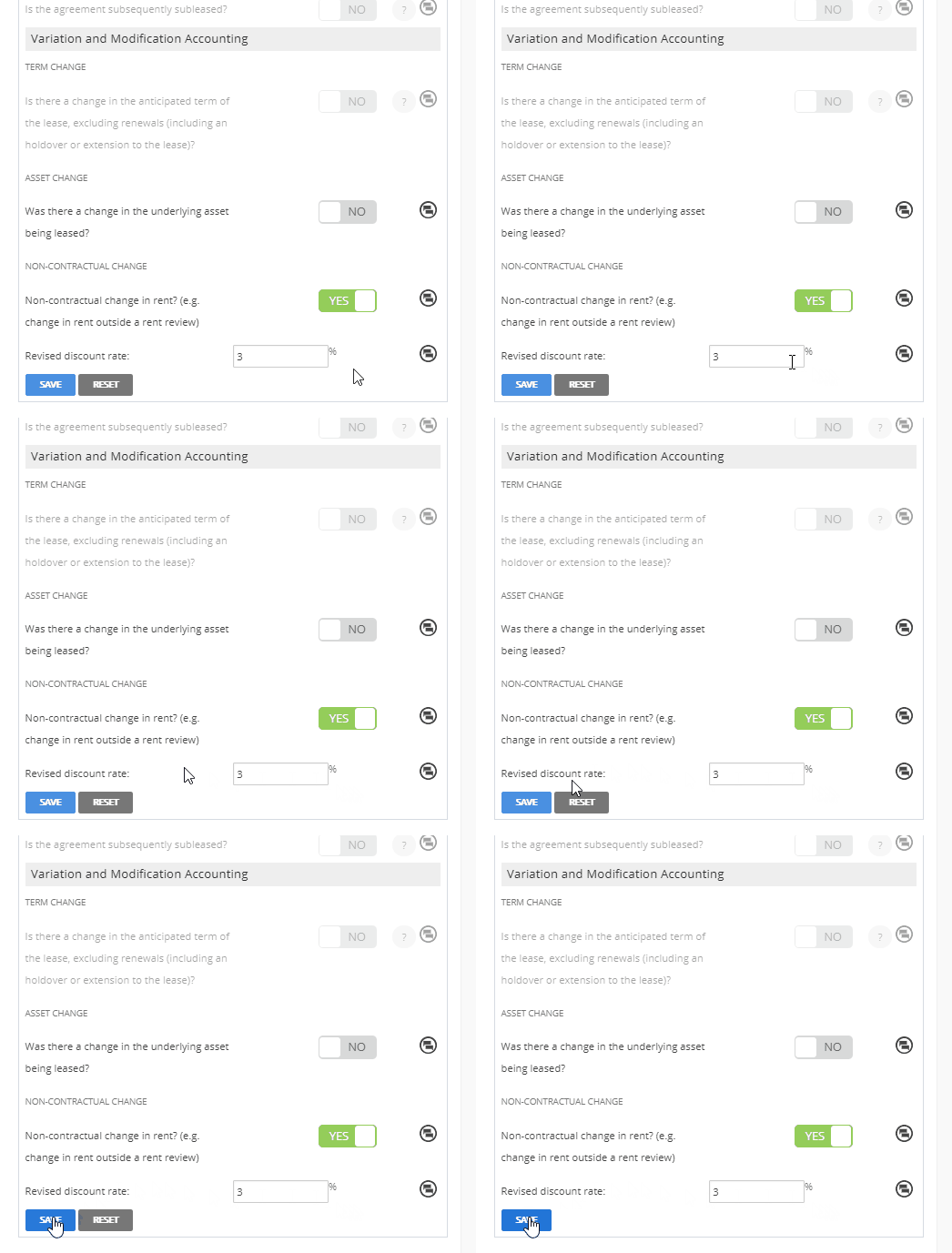
Once you've made your change, don't forget to scroll to the bottom of the Questionnaire and click “Save” to ensure the changes are saved correctly.
Additionally, note that any mention of “Discount Rate” in the questionnaire also relates to the “interest rate” and “incremental borrowing rate” - all terms refer to the same rate.
Subsequent measurement of Lease Liability Settings
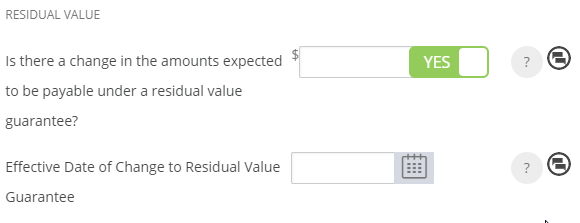
| Is there a change in the amounts expected to be payable under a residual value guarantee? |
If there is a change in the amount you expect to be payable under a residual value guarantee, toggle the bar to read YES, and record the new residual value guarantee amount.
Use the text field or calendar tool to record the Effective Date of the change.
|
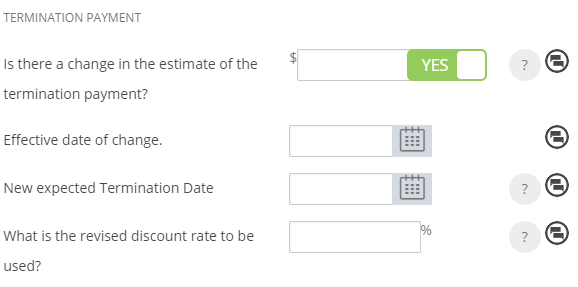
| Is there a change in the estimate of the termination payment? |
If you need to add or change your estimate of a Termination Payment, or record a change to the expected Termination Date of the Agreement, toggle the first question to read YES to reveal a series of additional questions.
If there is a change in the estimated Termination Payment, record the amount and use the text field or calendar tool to record the Effective Date of the change in the field below.
If there is a new expected Termination Date, use the text field or calendar tool to record the new expected Termination Date, and record the Effective Date of the change in the field above. The new expected Termination Date must be after the Commencement of your Agreement but before the Expiry.
If you're updating the expected Termination Date but not the Termination Payment estimate, you can leave the payment field blank.
If you need to record a new discount rate, effective from the same date as recorded above, record this value in the final field.
This field is used when recording a decrease to the length of an Agreement. Find more details in this article. |
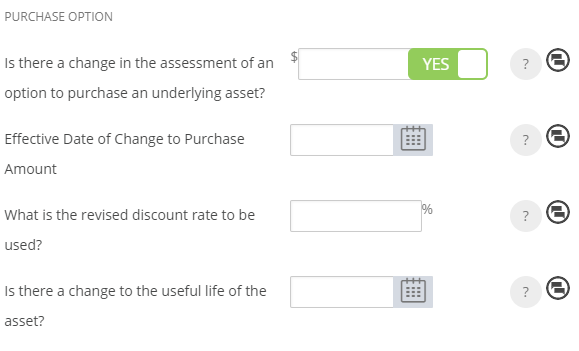
| Is there a change in the assessment of an option to purchase an underlying asset? |
If there is a change to the assessment of an option to purchase an underlying asset, toggle the question to read YES and record the amount.
Use the text field or calendar tool record the Effective Date of change.
If you need to record a new discount rate, effective from the same date as recorded above, record this value in the third field.
If you need to update the Useful Life of the Asset, use the text field or calendar tool to record this date. Nomos One will only calculate Lease Liability up to the end date of the Useful Life of the Asset, rather than to the final expiry/termination date of the Agreement.
|
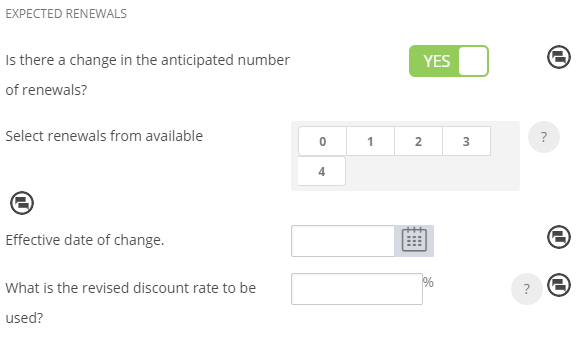
| Is there a change in the anticipated number of renewals? |
If there is a change to the anticipated number of renewals from what was entered in the Initial IFRS 16 Questionnaire, toggle the bar to read YES and select the new anticipated number of renewals from the available options. Remember that the available options directly reflect the number of renewal events set up for the Agreement. For example, if you expected to renew the Agreement 3 times, and have the Agreement expire in reports just before the 4th renewal, you would select the option “3”.
Use the text field or calendar tool to record the Effective Date of this change.
If you need to record a new discount rate, effective from the same date as recorded above, record this value in the final field.
|
| Other changes to lease liability (e.g. prepayment of lease payment)? | This functionality has not been re-platformed into the New Engine. As such, you cannot make any selections here. |
Subsequent Measurement of the Right of Use Asset Settings
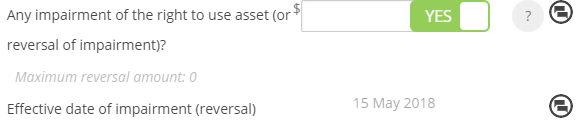
| Any impairment of the right to use asset (or reversal of impairment)? |
If any event under the IAS 36 standard results in the need to write down or write up the Right of Use Asset to reflect it's current carrying amount, you can record that amount in here.
To record an impairment to decrease the ROUA value, toggle the bar to read YES and record a negative number.
An impairment of the Right Of Use Asset will occur when the lessee doesn't anticipate getting the full carrying value of the lease asset out of the lease. An impairment charge essentially reduces the Right of Use Asset and the subsequent depreciation profile.
To record a reversal to increase the ROUA value, toggle the bar to Yes and record a positive number.
The system will automatically use the Event Date as the Effective Date of your impairment or reversal.
|
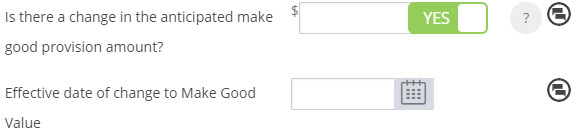
| Is there a change in the anticipated make good provision amount? |
To change or update the Make Good Provision amount, toggle the bar to read YES and enter the new amount.
Use the text field or calendar tool to record the Effective Date of the change. Changes to this amount will impact the Right of Use Asset and the depreciation profile.
|
Revaluation of Right of Use Asset - IAS 40 & IAS 16
| Is there a Revaluation amount of ROU Asset in accordance with IAS 40 Investment Property? |
If you have revalued the Asset in accordance with IAS 40, the Asset or Lease does not depreciate, and so it will need to be revalued every year.
To record the revaluation of an asset, toggle the bar to read YES and record the revaluation of your investment property. Enter the Effective Date of the change.
|
| Is there a Revaluation amount of ROU Asset in accordance with IAS 16 Property, Plant and Equipment? | This functionality has not been re-platformed into the new engine. As such, you cannot make any selections here. |

Subleased Elements
| Is the agreement subsequently subleased? | This functionality has not been re-platformed into the new engine. As such, you cannot make any selections here. |
Variation and Modification Accounting
| Is there a change in the anticipated term of the lease, excluding renewals (including an holdover or extension to the lease)? | This functionality has not been re-platformed into the new engine. As such, you cannot make any selections here. There are other methods for recording an increase in term length, or a decrease in lease term, or a holdover arrangement, which produce correct journal entries. |
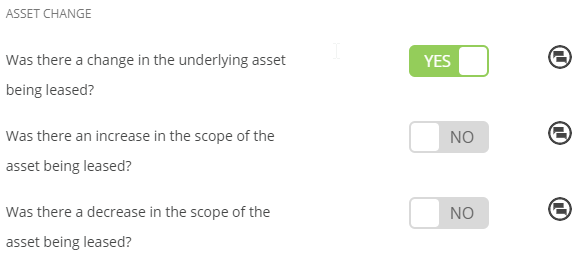
| Was there a change in the underlying asset being leased? |
If there are any changes to the underlying asset being leased, i.e., the lease has been varied to increase or decrease the scope of the asset you are leasing, toggle the bar to read YES. You can specify whether there was an increase or decrease of the asset subject to the Agreement. See the sections below for each option.
|
| Was there an increase in the scope of the asset being leased? |
If the asset being leased increases in scope, toggle the bar to read YES. Record the new discount rate. In this scenario, the Right of Use Asset and Lease Liability will be remeasured, triggered by the change in discount rate and lease payments.
If a new lease is recognised for accounting purposes as a result of the increase in scope, toggle the bar to read YES. If the new asset is commensurate at a stand alone selling price, the modification will be accounted for separately.
|
| Was there a decrease in the scope of the asset being leased? |
If the asset being leased decreases in scope, a gain or loss must be calculated in relation to the Right of Use Asset. Toggle the bar to read YES.
To calculate the gain you must work out the percentage of decrease change. E.g., if you are reducing the premises area of the lease from 100 sqm to 50 sqm, this would be a 50% decrease. You can also record a new Discount Rate if applicable.
|
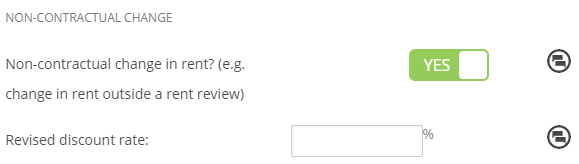
| Non-Contractual Change in Rent? (e.g. Change in Rent outside of a Rent Review) |
If you just need to update the Discount Rate (also called interest rate or incremental borrowing rate) of your Agreement, you can toggle this question to read YES and record the new rate here.
|


Once you've updated your assumptions, remember to click “Save” at the bottom of the questionnaire:
Nomos One does not provide or purport to provide any accounting, financial, tax, legal or any professional advice, nor does Nomos One purport to offer a financial product or service. Nomos One is not responsible or liable for any claim, loss, damage, costs or expenses resulting from your use of or reliance on these resource materials. It is your responsibility to obtain accounting, financial, legal and taxation advice to ensure your use of the Nomos One system meets your individual requirements.