
All Agreements must have a scheduled Expiry date in Nomos One. When setting up a new Agreement, users should always enter the Expiry date in the Agreement Creation Process, as it was known at Commencement. If that changed or changes over time, it can be modified through a Variation or Surrender.
This article will guide you through how you can ensure your Expiry date is reflected correctly in the system.
Final Expiry
A final scheduled expiry is the expiry date that is known at the commencement of the Agreement. All Agreements will have a final expiry, which is the date the contract will terminate after all rights of renewal (if any) have been exercised.
The final expiry of your Agreement will appear as an Expiry Event on the Agreement Timeline.
Actioning the final Expiry Event
When an Agreement has reached its final expiry date as agreed in the contract, you can complete the Expiry Event on the Agreement timeline. Check out how to do so here.
Expiry at Renewal Event
Every time your Agreement comes up for renewal, you have the option to renew the Agreement, or exit it, meaning that the Agreement will expire at the end of the current term.
If your organisation has decided not to exercise a Renewal and instead expire the Agreement, you'll need to do a couple of things to ensure your IFRS 16 reports reflect the Agreement's correct expiry date.
Please note: For IFRS 16 Reporting purposes, if the number of renewals you're exercising aligns with your assumption recorded in the Initial IFRS 16 Questionnaire, you can jump straight to Step 3. You only need to follow Steps 1 and 2 if you're expiring your Agreement at an earlier option than you initially planned to, as recorded in the IFRS 16 Questionnaire.
- Create a Variation on the date the decision was made to change your Expected Renewals. This must be at least one day before the expiry of your existing term (two days before the Renewal Event date).
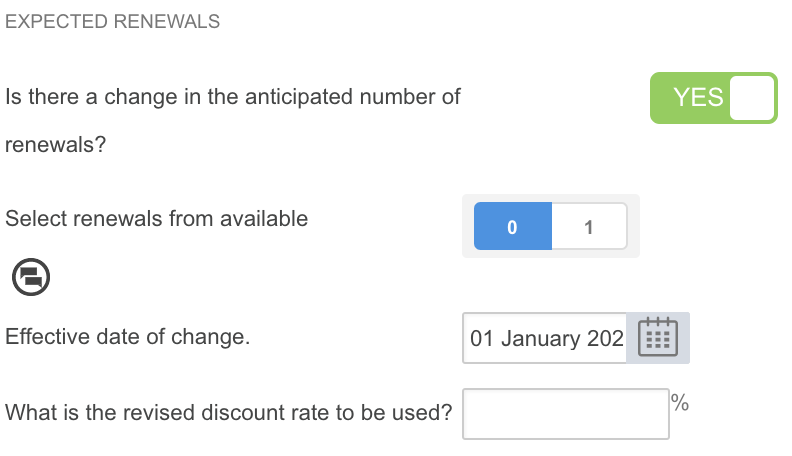
- Update your Expected Renewalson the Variation Event to include up until the expiring term only. Recall that the number of renewals available reflect the Renewal Events set up in your Agreement, so if we wanted to record that we are exiting the Agreement at the end of the first term - not renewing it - we would record it as displayed in the screenshot:
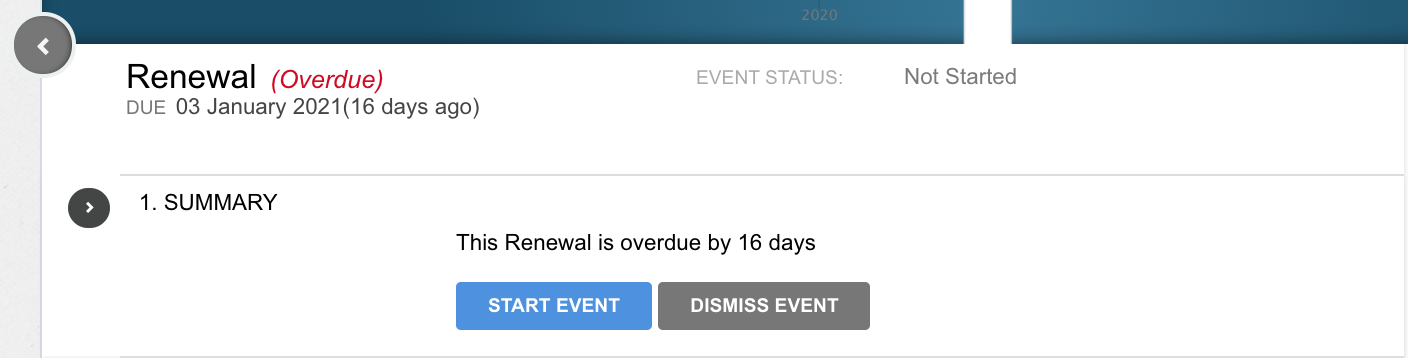
- Click on the upcoming Renewal Event, and select “Start Event”.
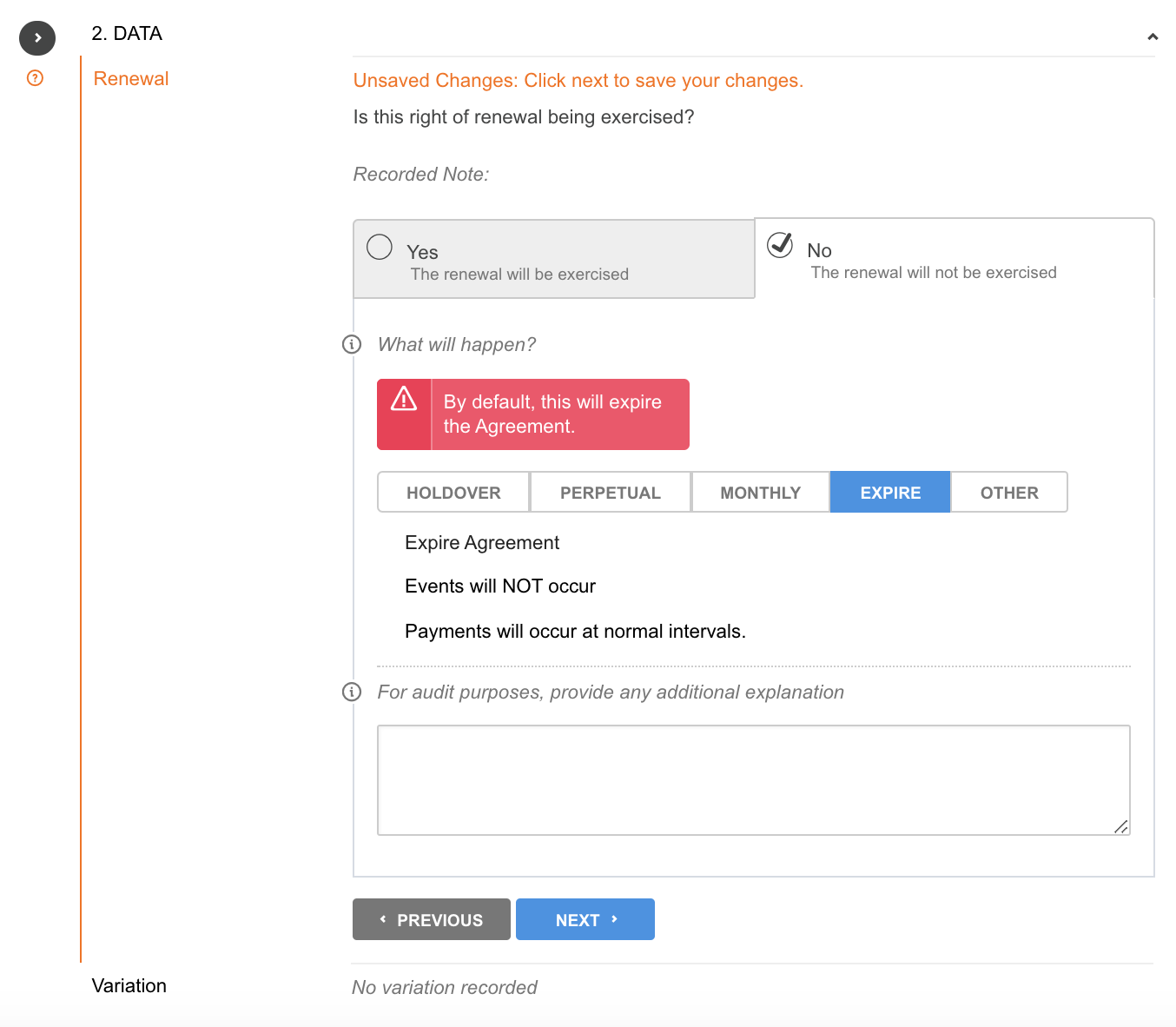
- Next, in response to "Is the right of renewal being exercised?", select “No the renewal will not be exercised”. By default, the system will highlight "Expire" from the available options. Select this highlighted button to confirm the expiry. If you want, you can provide an optional explanation in the text field for audit purposes, or you can proceed by clicking “Next”.
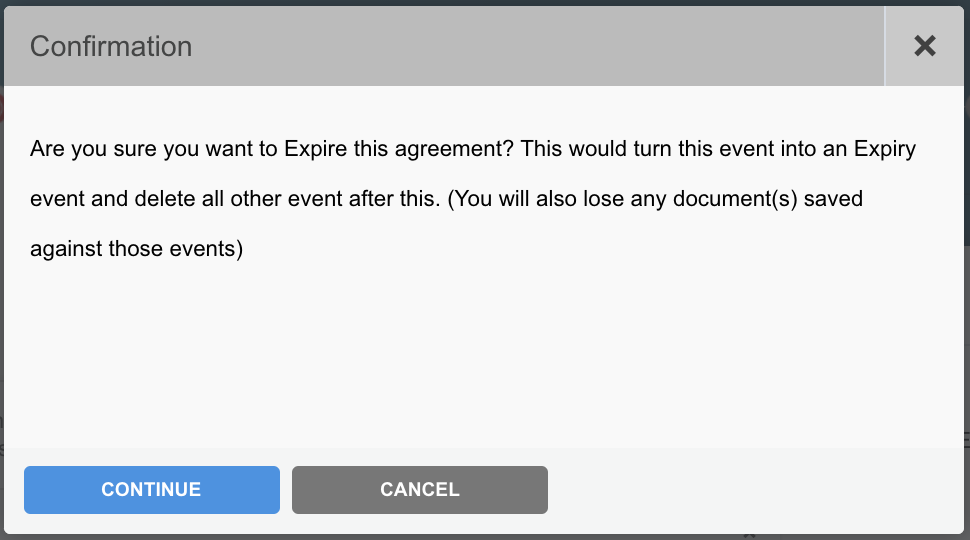
- A confirmation box will appear asking you to approve this action. Proceed by clicking “Continue”.
- Continue to complete the Event by clicking “No additional variations”, then “Next”.
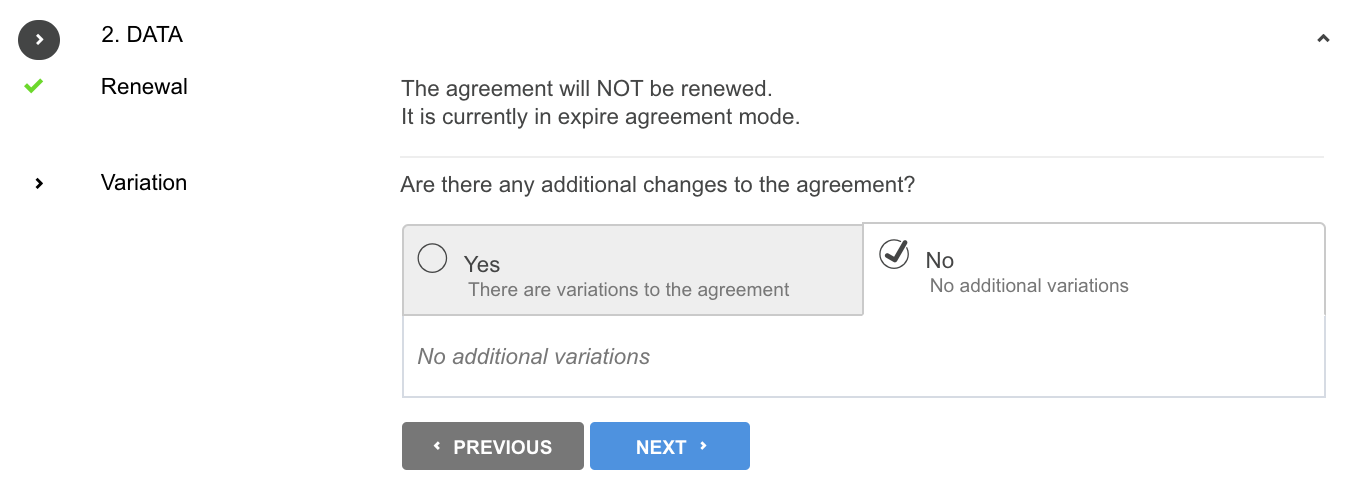
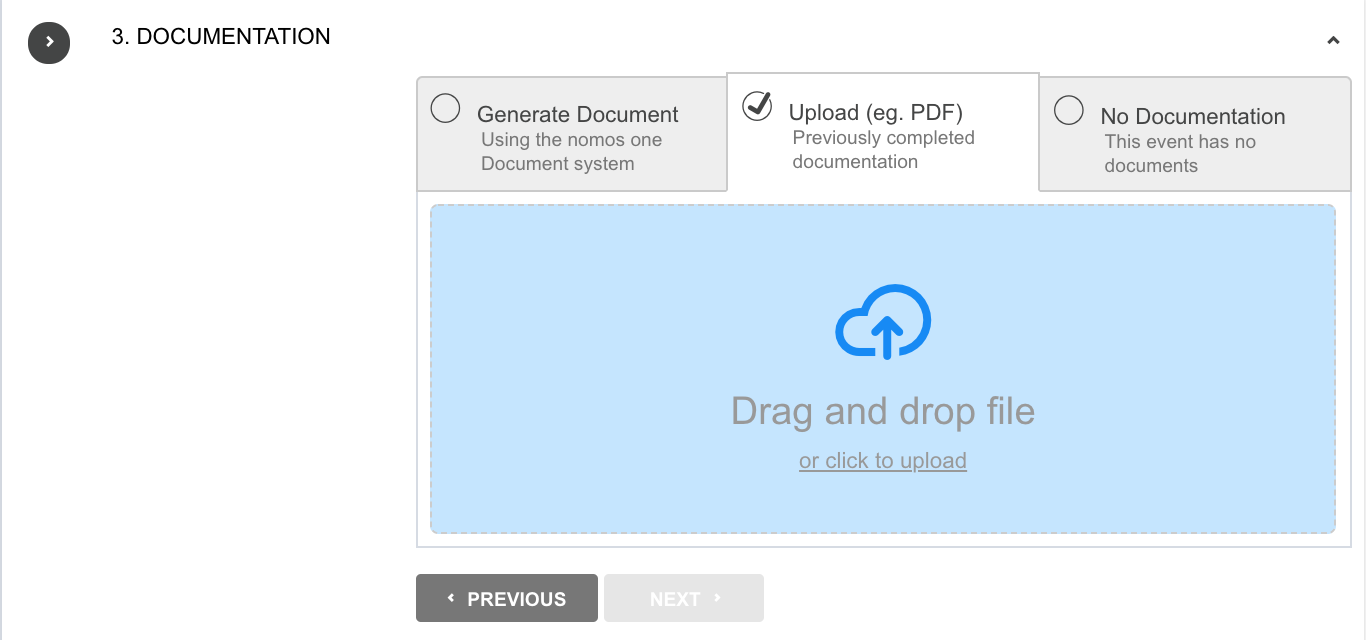
- Upload any supporting Documentation, or select “No Documentation” and click “Next”.
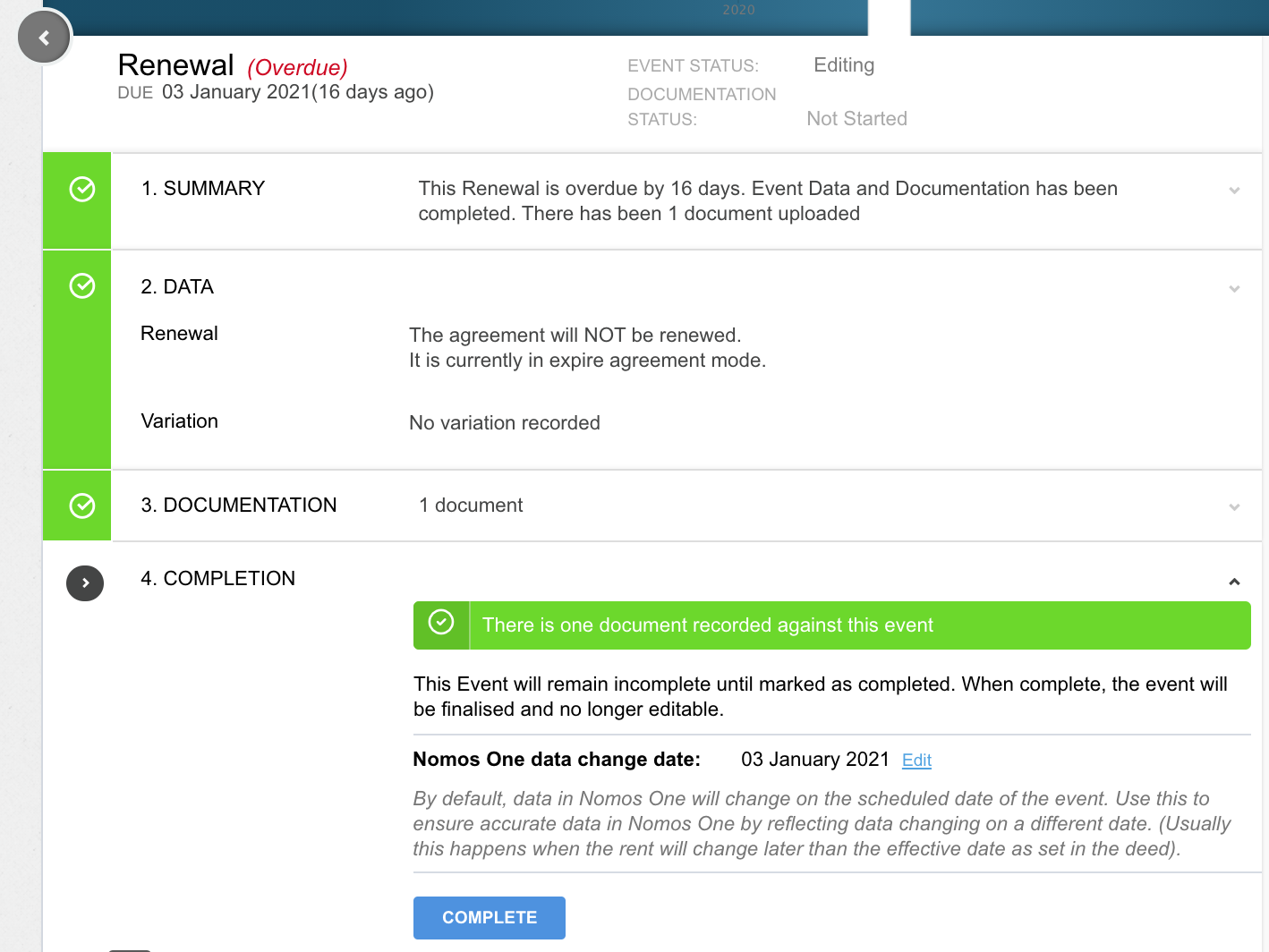
- Click “Complete”. You'll see a certification noting that the Event has been completed, and the event icon will turn green.
Surrender
A Surrenders is an unexpected termination of an Agreement. These are often triggered by one contracting party and are not always supported by the other contracting party, meaning they can carry penalty fees.
As surrenders are not scheduled in the original contract, you'll need to create and complete a Surrender Event. If the surrender carries a penalty fee, you'll need to update the IFRS Settings on the Surrender Event to reflect this in Reports.
Holdover / Month to Month
Some Agreements don't always have a set Expiry date. Agreements may run on a Month to Month basis, where the continuation of the Agreement is reviewed every month or so. Alternatively, the final expiry may have passed, but contracting parties have decided not to action the Expiry and instead negotiate its extension, setting a temporary Holdover period until a decision is made.
IFRS 16 Financial Reporting requires an Expiry date in order to calculate Lease Liability and Right of Use Asset values. Although the parties may not be entirely certain what the final Expiry date will be, you must enter a projected Expiry date and update this if it changes, using of the two workflows for processing Holdover and Month to Month arrangements outlined in this article.
Nomos One does not provide or purport to provide any accounting, financial, tax, legal or any professional advice, nor does Nomos One purport to offer a financial product or service. Nomos One is not responsible or liable for any claim, loss, damage, costs or expenses resulting from your use of or reliance on these resource materials. It is your responsibility to obtain accounting, financial, legal and taxation advice to ensure your use of the Nomos One system meets your individual requirements.